THE SHORT CHECKLIST
Before you start
- Valheim with BepInEx already installed.
- A compatible OctoPack core version. The published Lantern 1.2.3 documentation requires OctoPack 1.7.4 or newer.
- Lantern on clients that should see or use its lanterns or receive aura effects.
These instructions describe the documented defaults. Check your installed release notes and server rules if a recipe, key, or setting differs.
1. Install Lantern and its dependency
- Close Valheim and install OctoPack core first. A compatible mod manager can resolve the published package’s dependencies.
- Install the Lantern package. For a manual download, copy its
pluginsfolder into your existingBepInExfolder. - Confirm the resulting file is
BepInEx/plugins/OctoPack_addon_Lantern/OctoPack_addon_Lantern.dll. - Keep one copy of the DLL. Remove the legacy
Octodad.BackpackLanternplugin and the separateOctoPack_addon_LanternArm.dll. - Launch the game once to generate
BepInEx/config/OctoPack_addon_Lantern.cfg.
The arm is already integrated into Lantern. The retired belt hook and its position editor are not part of this release. Keep your existing config when updating and check the chosen release’s OctoPack requirement.
2. Equip your travelling light
- Craft a lantern at its required station, then place it in a backpack slot.
- Use the item from that slot to equip it.
- For a Standard lantern, put Resin in the backpack. Aura lanterns use Refined Eitr from backpack slots; Wisp needs no fuel.
- Press L to relight. The Standard lantern needs another active light nearby; aura lanterns can relight anywhere.
- Equip the integrated arm from a backpack slot if you want the over-the-shoulder mount. It takes precedence over the bedroll-strap mount.
The arm can be crafted at a level 1 forge from 1 Core Wood, 2 Iron, and 2 Deer Hide. With the arm unequipped, the lantern returns to the pack’s strap mount. Press F9 to switch between the current pack mount and the left hand.
3. Choose a lantern and keep it fueled
| Lantern | Station | Fuel |
|---|---|---|
| Standard | Artisan table | 1 backpack Resin per 10 minutes |
| Eir, Thor, Mimir, Skadi, Heimdall | Level 1 Black Forge | 1 backpack Refined Eitr per 25 minutes |
| Wisp | Artisan table | None |
The Standard recipe uses 10 Iron, 1 Chain, 4 Crystal, 1 Candle Wick, and 20 Resin. The Wisp recipe uses 10 Yggdrasil Wood, 5 Black Metal, and 3 Wisps. Use the in-game recipe list for each aura lantern’s ingredients and any changes made by your setup.
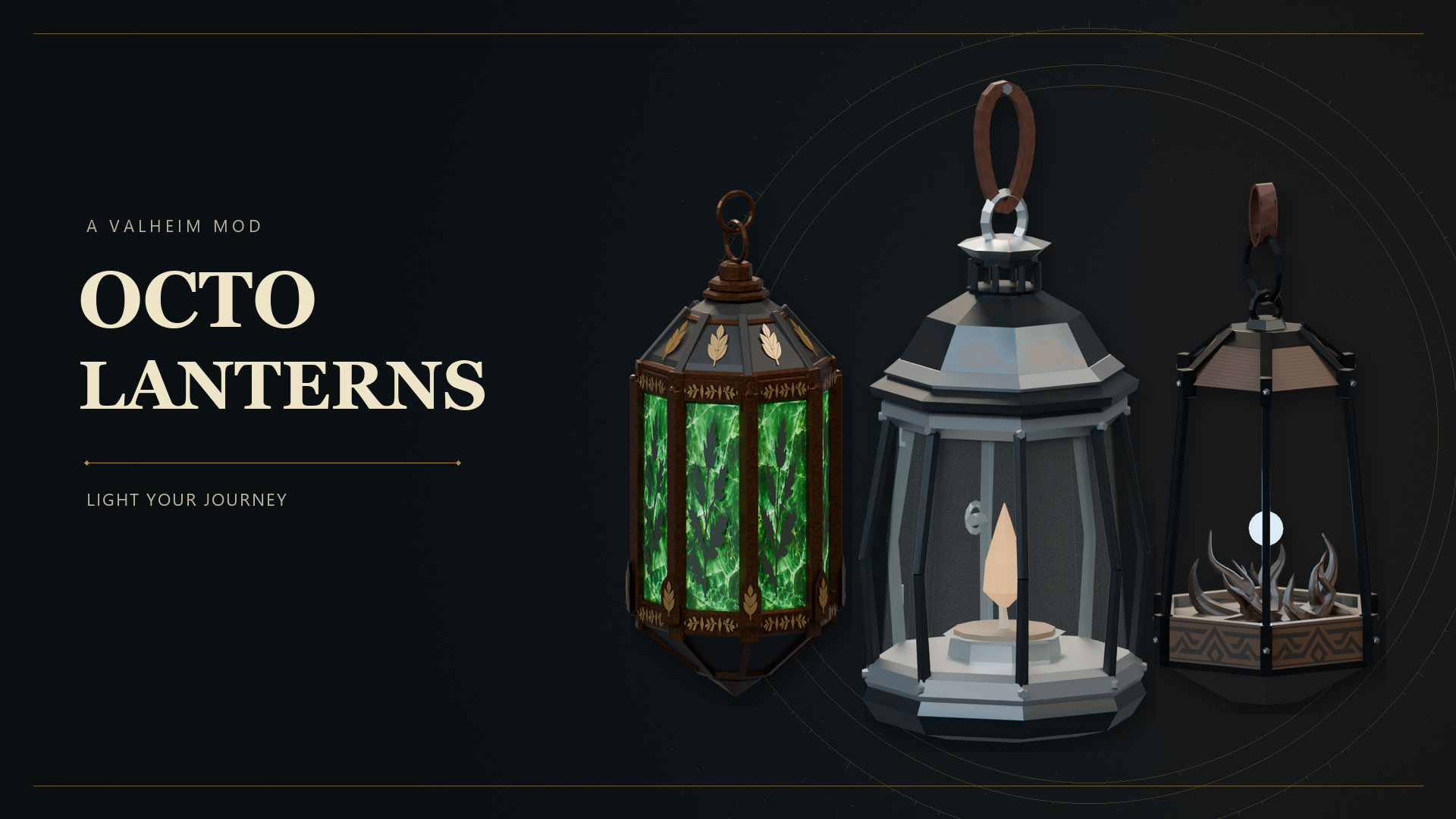
A lit Wisp Lantern clears Mistlands mist within 25 metres. That radius stays the same on the arm. When resting, its wisp keeps a soft blue appearance; it has no activated ability.
4. Keep the controls close
These are the documented bindings. Your existing config may use different keys.
| Action | Control |
|---|---|
| Switch pack/arm mount and left hand | F9 |
| Relight | L |
| Extinguish | Shift + L (either Shift) |
| Activate equipped aura lantern | Right Alt |
Hand carrying follows the current weapon and shield restrictions. If the lantern cannot move into your hand, check what else occupies that hand. Keep fuel in the backpack rather than assuming resources elsewhere will be used.
5. Use passive auras and active abilities
Eir’s Mercy supports health recovery; Thor’s Fury supports damage; Mimir’s Wisdom helps Eitr use; Skadi’s Stride helps stamina use; Heimdall’s Ward supports armor. Their passive auras require a lit lantern, reach nearby players, and are blocked by solid objects by default.
The default aura range is 15 metres, or 20 metres on the equipped arm. The arm increases passive strength by 45%; it does not increase activated ability strength. Identical effects use the strongest source rather than adding together.
With an aura lantern equipped and lit, press Right Alt for its active blessing: Eir heals, Thor adds lightning damage, Mimir restores Eitr, Skadi improves movement, and Heimdall reduces damage and stagger. Active effects show remaining time. A shared cooldown is saved with your character, so switching lanterns does not reset it.
6. Multiplayer and portable packs
Every player who should see or use Lantern’s equipment or receive its aura effects needs Lantern and compatible OctoPack core. A headless dedicated server needs the core DLL; the Lantern DLL is a client add-on and is not required there.
OctoPack saves the selected lantern and arm with a portable backpack. Dropped and displayed packs retain supported light, mist clearing, fuel, and passive-aura behavior. That behavior is maintained by an owning, loaded Lantern client. This release does not continuously simulate lantern fuel while offline or solely on a headless server.
Use OctoPack’s Shift + R drop control or Shift + Use at an armor stand. Recover supported equipped accessories through the pack’s grave-recovery system after death.
7. Adjust light, motion, and aura settings
Edit BepInEx/config/OctoPack_addon_Lantern.cfg after backing it up. The integrated arm settings share this file. Options cover controls, swing, placement, size, lighting, glass, shadows, and aura behavior.
For manual changes, close Valheim, edit the file, and relaunch. Existing custom settings are retained when updating. Documented defaults include physics drag 0.6, general cast-light brightness 0.7, and Wisp cast-light brightness 0.37. Use these as reference points rather than replacing your whole file.
Graphics shadow settings and the aura’s solid-object blocking rule are separate controls. Changing one does not automatically change the other.
8. Troubleshooting and support
The light will not relight
Check that the lantern is equipped from a backpack slot and the correct fuel is in the backpack. For Standard, stand near another active light before pressing L. Wisp requires no fuel. Check custom key bindings if the default does nothing.
The aura ability does nothing
Use one of the five aura lanterns, equip and light it, then check the shared cooldown. Standard and Wisp have no active blessing. Recipients need Lantern installed and must be within the unobstructed aura; solid walls block it by default.
The arm is missing or the loadout behaves strangely
Use the integrated arm item from a backpack slot. Remove the separate old arm DLL and duplicate Lantern copies, then restart. The retired belt hook is not supported by this release.
For a report, include both OctoPack and Lantern versions, your client/server setup, the steps to reproduce it, and the relevant BepInEx/LogOutput.log entries. Use the Discord link below for support and remove private information before sharing logs.
KEEP THESE HANDY
Project reference & help
Use the author’s project notes for current release requirements and changes. If you need help, include the installed version, what you tried, and the relevant log excerpt.
- Lantern project documentation ↗
- Lantern releases ↗
- OctoPack core requirements ↗
- Studio Bascinet Discord ↗
Review logs before sharing. Do not include server passwords, admin access keys, or other private information.