THE SHORT CHECKLIST
Before you start
- Valheim with BepInEx 5.
- The same Octo Arsenal version on every client and the dedicated server.
- OctoPack is optional for the backpack quiver and three-spear carrier; core weapons work without it.
These instructions describe the documented defaults. Check your installed release notes and server rules if a recipe, key, or setting differs.
Install or update
- Close Valheim and stop the dedicated server before replacing files.
- Install the Valheim BepInEx 5 package if it is not already present. Use a compatible mod manager, or download the manual Octo Arsenal release.
- For a manual install, copy the package’s
pluginsfolder intoValheim/BepInEx. The resulting DLL path isBepInEx/plugins/OctoArsenal/OctoArsenal.dll. - Keep only one copy of the Octo Arsenal DLL. Replace the previous plugin when updating and retain the main configuration.
- Update the server and every client to the same release, then restart.
A routine update does not require a new character or world. Existing item quality, Armour Fang mode, and quenching progress use persistent item data.
Craft your first equipment
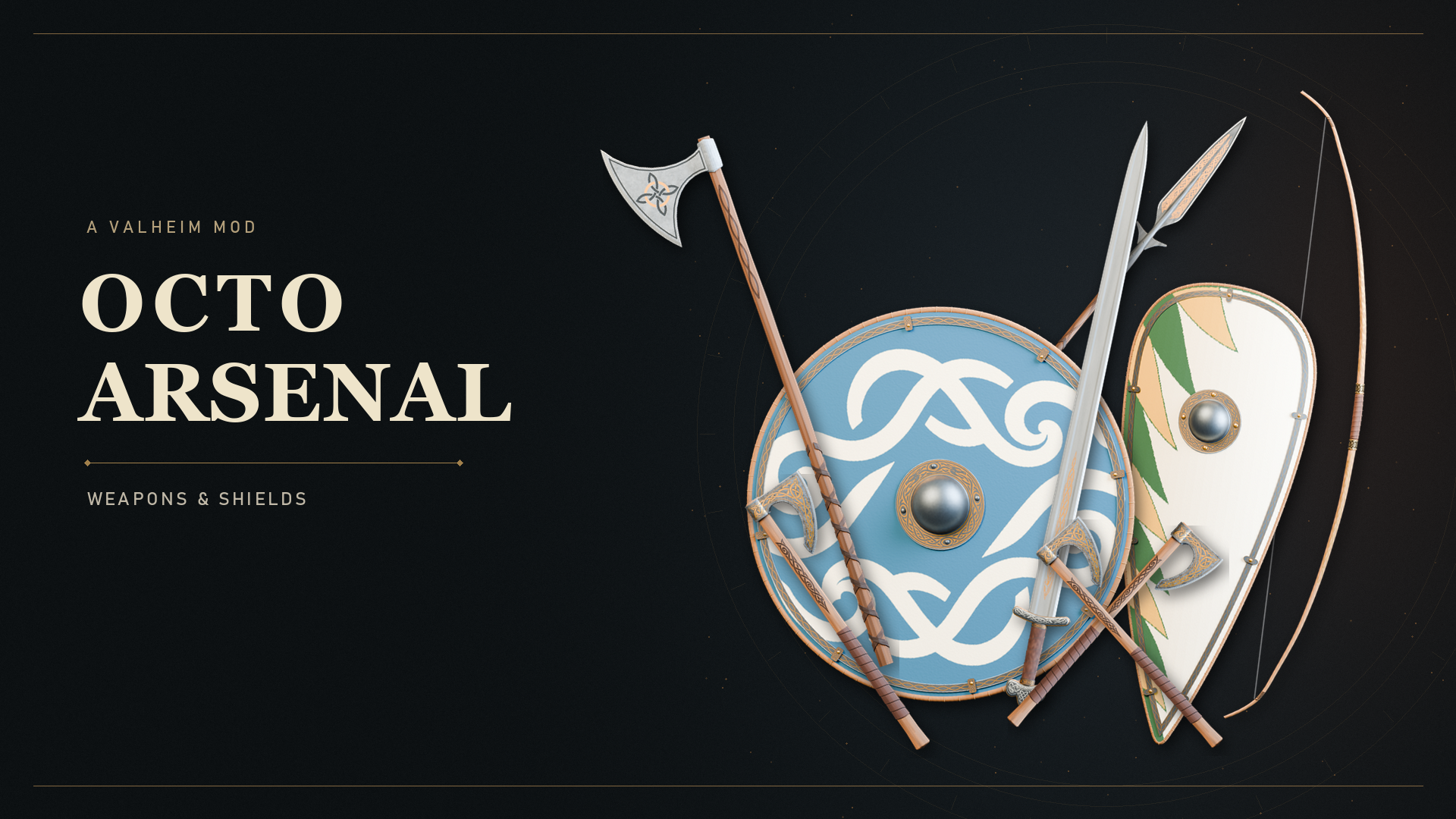
The collection includes the Steel Dane Axe, Steel Sword, Steel Winged Spear, Steel Bearded Axe, Steel Berserker Axes, Norse Bow, Viking Round Shield, Kite Shield, Steel Longsword, and Armour Fang.
- Gather and discover the required materials.
- Use a level 4 workbench for the Norse Bow, or a level 4 forge for the other equipment.
- Choose the item’s initial recipe. The first craft does not require a quenching quest.
- Equip the new item and look for its next-quality objectives in the quest tracker.
For example, the public Steel Sword quality-1 recipe uses 20 Iron, 10 Coal, 2 Deer hide, and 4 Fine wood. Other equipment has its own costs; use the in-game recipe and the release’s material-cost document for the complete list.
Understand quenching and upgrades
Materials alone do not unlock a normal upgrade. Each physical item must complete its next-quality quenching quest. A second newly crafted sword starts with its own progress; another sword’s completed objectives do not unlock it.
Damage an eligible enemy with the weapon, then let that enemy die. The weapon does not need the final hit. For a shield, help damage the enemy and keep that physical shield equipped when death credit arrives; blocking is not required. Mining, misses, PvP, and tamed allies give no progress.
The quality-2 quest requires 10 wolves and 2 cultists. Later quests move through fulings, seekers, Ashlands, and Deep North enemies. Return to the appropriate crafting station with both the completed quest and the required materials. An upgrade showing Steel needs Quenching. still has an unfinished quest.
Above quality 10, battle idols and completed quests are both required. The release retains compounded 5% growth for damage, block armor, and durability at each successful level. A failed or unchanged idol attempt keeps completed quest credit.
Controls and special equipment
| Default control | What it does |
|---|---|
| N | Show or hide the quenching tracker beside the hotbar. |
| Y | Flip an equipped Armour Fang between hammer and pick. |
| Alt + 1 / 2 / 3 | Use the quiver or spear-carrier slots when that accessory is active. |
Hiding the tracker does not pause progress. Armour Fang’s two faces share quality, durability, and quest progress. Finish attacking, blocking, or dodging and close input menus before switching modes. Its pick face can mine suitable ore as quality improves.
The Steel Longsword has different appearances at qualities 1, 4, 7, and 10. The temporary fitting editor has been removed; F9 is no longer an editor shortcut.
Optional OctoPack accessories
A compatible OctoPack enables the included backpack quiver and three-spear carrier. Craft the accessory at a workbench, put it in a compatible backpack, and right-click it to equip. The shortcut-panel headings can be dragged, and their positions are saved.
Remove the separate OctoPack_addon_Quiver plugin before using Octo Arsenal because its features overlap the included quiver. Better Archery is optional; its enabled arrow-recovery, crouch, and nocked-arrow features take precedence to avoid duplicate effects.
The public release’s compatibility tests used the OctoPack 1.6.47 API. Check the release notes when pairing newer versions rather than assuming every historical OctoPack build is compatible.
Configuration and server administration
The main settings live in BepInEx/config/OctoArsenal.cfg. Close the game before making a manual edit, keep a backup, and retain this file across updates. Rebind the tracker under Quenching.Interface and Armour Fang’s mode key under ArmourFang.Controls if another mod uses the defaults.
Quiver and carrier settings include shortcuts, workbench recipe requirements, and panel offsets. Adjust the feature you need rather than replacing the whole file. Current releases have built-in model fits; old fitting files are archived as .bak files and are no longer needed.
For multiplayer, distribute a consistent release and the intended server configuration. Keep a copy of the working setup before updating the group.
Troubleshooting
The recipe is missing
Check the station type and level, discovered materials, and the BepInEx log for a successful plugin load. Confirm that there is only one Octo Arsenal DLL and that all multiplayer versions match.
Kills are not advancing an upgrade
Check the next-quality objective for that exact item. Use an eligible enemy, deal damage with the weapon, and wait for its death. For shields, keep that shield equipped when credit arrives. Offline players cannot receive kill credit.
Armour Fang will not switch or the tracker disappeared
Finish the current action and close menus before pressing the configured switch key. Press N to show the tracker again, or inspect its configured key. A hidden tracker does not remove progress.
Get help
Include the Octo Arsenal version, Valheim version, server/client versions, the equipment involved, and the relevant section of BepInEx/LogOutput.log. Explain whether the issue affects crafting, quest credit, or an accessory and what action triggers it.
Use the release notes and material-cost document for version-specific recipe details. Bring reproducible issues to the Studio Bascinet Discord community or the project’s GitHub page.
KEEP THESE HANDY
Project reference & help
Use the author’s project notes for current release requirements and changes. If you need help, include the installed version, what you tried, and the relevant log excerpt.
- Octo Arsenal project documentation ↗
- Octo Arsenal 0.5.27 release ↗
- Thunderstore release page ↗
- Studio Bascinet Discord ↗
Review logs before sharing. Do not include server passwords, admin access keys, or other private information.